Escape room management software for the day ahead
Bring bookings, customer records, staff assignments and reporting into one venue workspace. Built by escape room operators, with tools and limits that depend on your plan.
Bookings are the start. Operations are the rest of the day.
Before opening, review the room calendar and staff coverage. Before each group arrives, check its booking, balance and participant records. After the session, record the result and any internal notes your venue uses, then review payment and booking reports.
If you are choosing a system for taking reservations, start with the booking software overview. If you are comparing your whole workflow, use the owner's evaluation checklist and check plan limits.
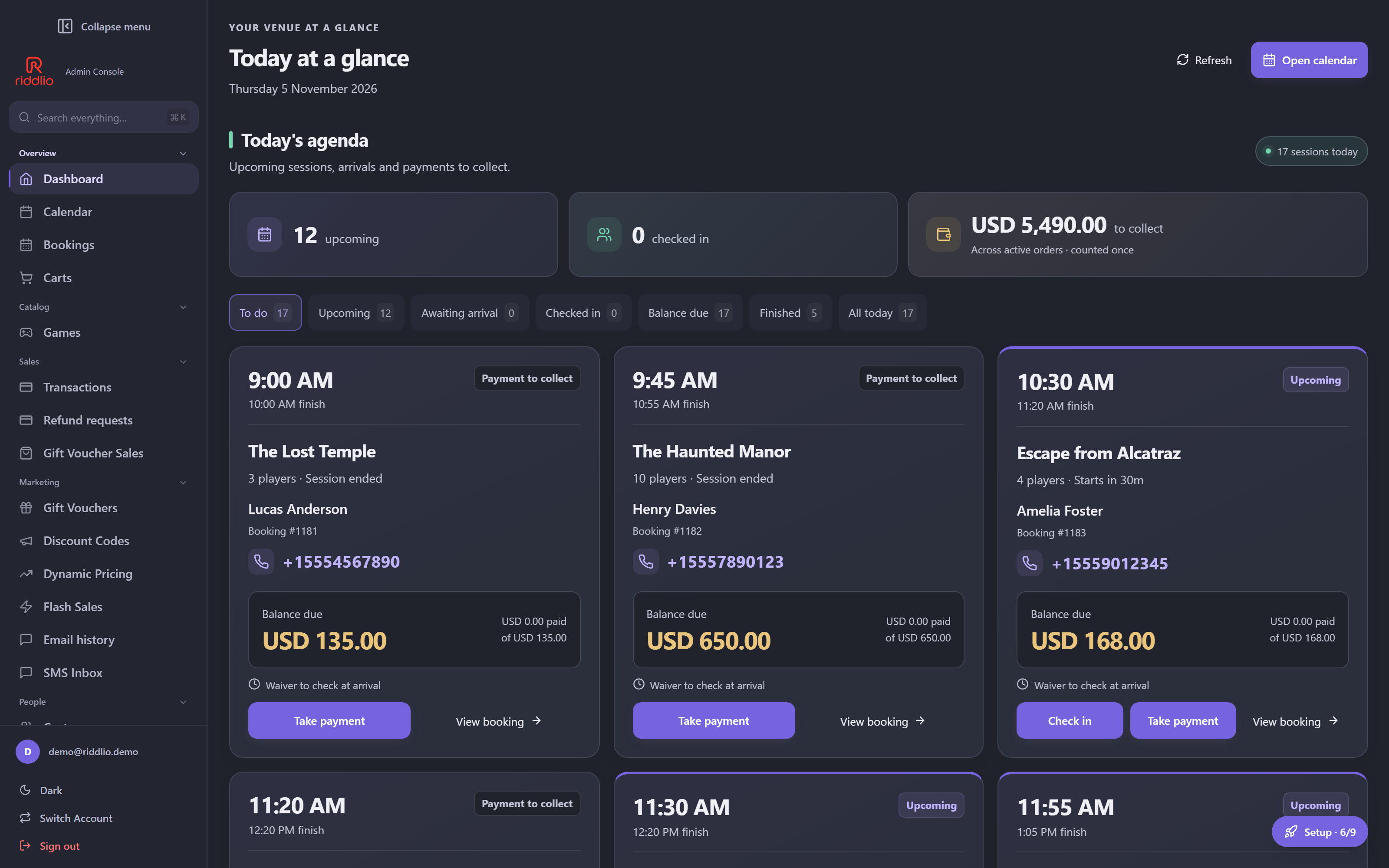
Management dashboard
A single control room for the day.
Venue owners and staff can scan revenue, bookings, top-performing games, pending payments, check-in status, team photos, and upcoming sessions from one dashboard before drilling into the calendar or booking record.
Booking & calendar management
A visual calendar shows all upcoming bookings across every room and game. Drag to reschedule, click to view details, and see availability at a glance. Slot-based system prevents double-booking automatically.
- Real-time visual calendar
- Drag-to-reschedule
- Slot-based availability
- Group & private bookings
Customer CRM
Every booking creates or updates a customer profile. Search by name, email, or phone. See booking history, total spend, and contact information. Add staff notes and segment customers for targeted outreach.
- Auto-built customer profiles
- Booking history per customer
- Search & filter
- Staff notes & tags
Revenue & analytics
Real-time revenue tracking with breakdowns by game, time period, and payment type. Compare performance across rooms, track no-shows, and export reports for accounting.
- Revenue dashboard
- Game performance metrics
- No-show tracking
- CSV exports
Staff scheduling
Schedule staff shifts, assign game masters to sessions, and track who ran which game. Staff activity is logged for post-game review and included in weekly digest reports.
- Shift scheduling
- Game master assignment
- Activity logging
- Weekly digest reports
Guest arrival and session records
Keep the booking, participant preparation and session record together. Use the tools enabled for your venue to review waivers, check guests in and record results or staff notes.
- Booking-linked participant records
- Waiver preparation
- Staff notes
- Venue-specific session results
Connections that fit your setup
Connect supported payment, communication and calendar services according to your plan. Game Master controller integration is a separate Enterprise or approved custom setup; a standard Riddlio subscription is not a prop-control system.
- Supported payment providers
- Email and SMS workflows
- Optional Google Calendar connection
- Approved controller integration
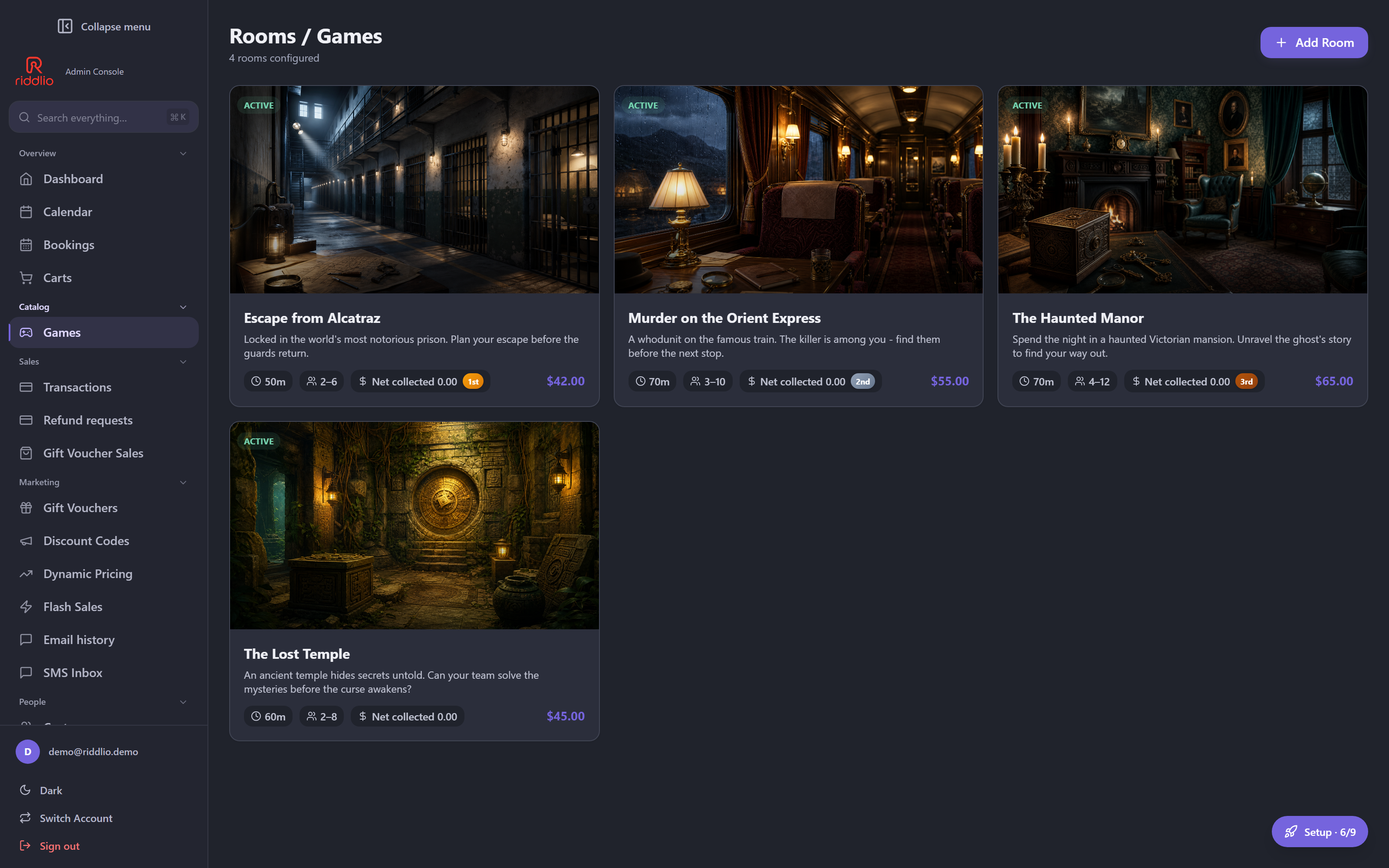
Rooms and games
Show each room clearly before it ever reaches the booking widget.
The rooms and games screen keeps game descriptions, duration, player limits, revenue, rankings, pricing, and active status visible so your public booking experience starts from clean admin data.
FAQ
Common questions about escape room management software
What does escape room management software do?+
How is Riddlio different from appointment software?+
Can I manage multiple rooms and games?+
Does Riddlio include customer relationship management?+
What reporting and analytics are included?+
How long does it take to set up?+
Ready to run your venue on one platform?
Start your 14-day free trial today. No charge during trial. Guided setup for games, rooms, slots, and booking widgets.