What’s the best staff scheduling software right now?
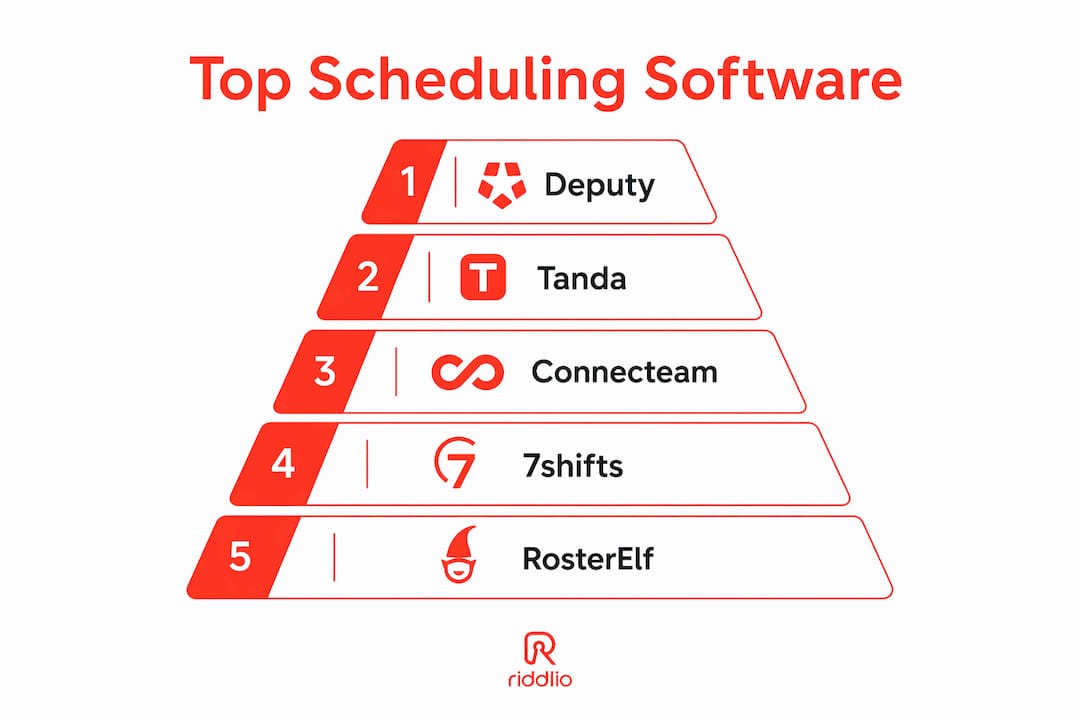
Deputy leads the pack for most Australian businesses in 2026, with Tanda and Connecteam close behind for teams that need local payroll compliance or all-in-one workforce tools. The right choice depends heavily on your industry, team size, and whether you need native Australian award interpretation or just clean, fast rostering.
The platforms below cover major use cases from single-site cafés to multi-location retail chains. Pricing, integrations, and AI features vary considerably, so the comparison table highlights the key differences.
| Tool | Best for | Key features | Pricing | Business size | Unique differentiator |
|---|---|---|---|---|---|
| Deputy | Businesses needing AI forecasting and compliance | AI scheduling, demand forecasting, compliance alerts, payroll sync | — | SMB to enterprise | Industry-leading AI demand forecasting |
| Tanda | Australian SMBs needing award compliance | Award interpretation, payroll integration, time tracking | — | SMB | Native Australian payroll and award rules |
| Connecteam | All-in-one workforce management | Scheduling, comms, task management, HR tools | Free for small teams; paid plans available | SMB to mid-market | Strong mobile and task management integration |
| 7shifts | Hospitality and restaurants | Labour cost controls, shift pooling, team comms | Free plan; paid plans available | SMB | Shift Pool feature and affordable entry pricing |
| RosterElf | Small businesses wanting real-time cost insight | Rostering, time tracking, live labour cost display | — | Small business | Real-time labour cost tracking |
| RotaCloud | Ease of use and mobile scheduling | Shift swapping, absence management, mobile app | From ~$2/user/month | SMB | Intuitive interface and strong support |
| Homebase | Hourly teams wanting a free starting point | Scheduling, time tracking, team messaging | Free plan available | Small business | Free tier with solid core features |
| When I Work | Shift-based teams wanting mobile-first tools | Auto-scheduling, GPS clock-in, shift swaps | From $2.50/user/month | SMB to mid-market | GPS geofencing and mobile-first design |
| Planday | Hospitality and retail with complex rosters | Shift planning, HR tools, payroll integration | From ~$2.50/user/month | SMB to enterprise | Strong European compliance background |
| Sling | Budget-conscious teams | Scheduling, messaging, labour cost tools | Free plan; paid from ~$2/user/month | Small business | Free tier with built-in team messaging |
| ClockShark | Field service and construction teams | GPS time tracking, job scheduling, payroll sync | — | SMB | Built specifically for field and trade teams |
| Findmyshift | Simple browser-based rostering | Drag-and-drop scheduling, shift reminders, reports | Free for small teams; paid plans available | Small business | No app install required; browser-based |
| Zoomshift | Small retail and hospitality | Schedule builder, time clock, payroll export | From ~$2/user/month | Small business | Clean, simple interface for small teams |
| Sage HR | Businesses already using Sage accounting | Leave management, scheduling, HR workflows | — | SMB | Deep Sage ecosystem integration |
| Buddy Punch | Remote and hybrid teams | GPS tracking, facial recognition clock-in, scheduling | — | SMB | Facial recognition and GPS for remote workers |
| ezClocker | Very small teams on a tight budget | GPS time clock, scheduling, payroll export | Flat monthly pricing available | Micro to small | Flat monthly pricing regardless of team size |
| Agendrix | Teams wanting strong employee communication | Scheduling, messaging, availability management | — | SMB | Built-in staff communication and availability tools |
| Ubeya | Staffing agencies and event-based workforces | Shift broadcasting, agency management, mobile app | Custom pricing | Agencies and events | Purpose-built for flexible and agency workforces |
| Workfeed | Small hospitality teams | Simple rostering, labour cost overview, mobile app | From ~$2/user/month | Small business | Lightweight and fast to set up |
| Deel HR | Global or distributed teams | Global HR, compliance, contractor management | Custom pricing | Mid-market to enterprise | Global compliance and multi-country payroll |
In-depth breakdown of the top staff scheduling apps
Deputy
Deputy is the strongest all-round choice for Australian businesses that need scheduling, compliance, and labour cost management in one place. Its AI demand forecasting pulls from historical schedules and sales data to predict staffing needs before a manager even opens the roster, which is genuinely useful for hospitality venues and retailers with variable foot traffic. The compliance engine automatically flags potential overtime and award breaches before a schedule goes live, which prevents the kind of payroll errors that cost real money.

Setup is faster than most managers expect. The auto-scheduling feature only needs roles, availability, and basic rules configured once, and it generates accurate draft schedules from there. Deputy integrates with Xero, MYOB, ADP, and most major Australian payroll platforms, and the mobile app covers shift swapping, time-off requests, and clock-ins without requiring manager involvement for every action.
Tanda
Tanda is the go-to for Australian businesses where award compliance is non-negotiable. It interprets Modern Awards natively, calculates penalty rates automatically, and syncs directly with payroll systems including Xero, MYOB, and Employment Hero. For a café paying weekend penalty rates or a retail chain managing casual and part-time entitlements, that automation alone justifies the subscription.
The time-and-attendance module uses facial recognition or PIN-based clock-ins, and managers get a live view of who is on shift and what it is costing against budget. Tanda is built for the Australian market in a way that most global platforms simply are not.
Connecteam
Connecteam suits businesses that want scheduling alongside task management, internal communications, and HR documentation in one mobile app. The free plan covers teams of up to ten, which makes it genuinely accessible for micro-businesses. Paid plans unlock advanced scheduling, GPS tracking, and integrations with QuickBooks and Gusto.

The platform’s strength is breadth. You can build a roster, assign tasks to specific shifts, send a company-wide announcement, and store onboarding documents all in the same place. For a business currently juggling three or four separate tools, that consolidation has real operational value.
7shifts
7shifts is purpose-built for restaurants and hospitality, and it shows. The Shift Pool feature lets employees bid on or offer up open shifts, which reduces the manager’s role in last-minute coverage to approving a swap rather than making phone calls. Labour cost controls sit directly in the scheduling view, so managers see the cost impact of every change before publishing.
Over 55,000 restaurants use 7shifts globally. The free plan covers a single location with basic scheduling and communication, and the 14-day trial of the Pro plan requires no credit card. For a small hospitality business that does not need deep HR functionality, 7shifts is hard to beat on price-to-feature ratio.
RosterElf
RosterElf is an Australian-built platform that keeps things straightforward. The live labour cost display updates as you build the roster, so you can see immediately whether you are over budget before the schedule is published. The mobile app lets managers approve shift swaps and time-off requests on the go, and employees can view their rosters and clock in without needing to call anyone.
It integrates with Xero, MYOB, and KeyPay, which covers the payroll tools most Australian SMBs already use. RosterElf suits businesses that want a clean, no-fuss rostering tool without paying for features they will never use.
RotaCloud
RotaCloud’s main selling point is how quickly new managers get comfortable with it. The interface is clean, the drag-and-drop roster builder is intuitive, and the absence management module handles leave requests without requiring a separate HR system. Customer support is consistently rated well, which matters when you are rolling out new software to a team that is not particularly tech-savvy.
Pricing starts at ~$2.50 per user per month, making it accessible for small businesses. It is less feature-rich than Deputy or Tanda, but for a business that just needs reliable, easy rostering with good mobile access, RotaCloud delivers.
Homebase
Homebase offers a genuinely useful free tier that covers scheduling, time tracking, and team messaging for a single location. Managers save up to 20 hours per month when they combine scheduling, time tracking, and payroll in one platform, according to Homebase’s own data. The free plan is a practical starting point for small businesses not yet ready to commit to a paid subscription.
Paid plans add payroll processing, HR tools, and multi-location support. The platform is designed specifically for hourly teams, and the onboarding process is quick enough that most small business owners can set it up in an afternoon.
When I Work
When I Work is built for shift-based teams that live on their phones. GPS geofencing enforces clock-ins at the right location, which is useful for businesses with multiple sites or field-based staff. The mobile-first design means staff can swap shifts, check schedules, and message managers without ever touching a desktop.
Plans start at $2.50 per user per month, making it one of the more affordable options for teams that need GPS verification alongside standard scheduling. It integrates with Rippling, ADP, QuickBooks, and Gusto, covering most payroll setups an Australian business might already have.
Planday
Planday suits hospitality and retail businesses with complex rosters and a need for built-in HR tools. It handles shift planning, employee contracts, and payroll integration, and the reporting suite gives managers visibility into labour costs across departments. The platform has a strong track record in Europe and is available to Australian businesses.
Sling
Sling’s free plan includes scheduling and team messaging, which is rare. Paid tiers start at ~$2.50 per user per month and add labour cost tracking and reporting. For a small business that primarily needs a way to publish rosters and communicate with staff, Sling’s free tier covers the basics without any financial commitment.
ClockShark
ClockShark is built for construction, field service, and trade businesses where staff are rarely in one place. GPS time tracking verifies where employees clock in and out, and the job scheduling module assigns workers to specific sites or projects. It integrates with QuickBooks and ADP for payroll. For a plumbing company or a cleaning service managing mobile teams, ClockShark solves problems that general scheduling tools do not address.
Findmyshift
Findmyshift runs entirely in a browser, with no app installation required. The drag-and-drop interface is straightforward, and the platform sends automated shift reminders by email or SMS. It is free for teams of up to five, with paid plans covering larger groups. For a small business that wants simple, no-fuss rostering without committing to a full workforce management platform, Findmyshift is worth a look.
Zoomshift
Zoomshift targets small retail and hospitality teams with a clean schedule builder, a built-in time clock, and payroll export. The interface is simple by design, and pricing starts at ~$2.50 per user per month. It suits businesses that find larger platforms overly complex for their needs.
Sage HR
Sage HR makes the most sense for businesses already running Sage accounting software. The scheduling and leave management modules connect directly to the broader Sage ecosystem, which reduces duplicate data entry and keeps HR and finance aligned. For a business outside the Sage ecosystem, the integration advantage disappears and other platforms become more competitive.
Buddy Punch
Buddy Punch suits remote and hybrid teams where verifying attendance is a genuine challenge. Facial recognition clock-in and GPS tracking give managers confidence that time records are accurate, even when staff are working from different locations. The scheduling module is functional rather than feature-rich, but for teams where attendance verification is the primary concern, Buddy Punch addresses it directly.
ezClocker
ezClocker uses flat monthly pricing rather than per-user fees, which makes it unusually affordable for very small teams. GPS time tracking and basic scheduling cover the essentials. For a micro-business with a handful of employees, the pricing model alone sets it apart.
Agendrix
Agendrix builds staff communication directly into the scheduling workflow. Employees receive notifications when rosters are published, can submit availability, and can message managers through the same platform. For businesses where poor communication between managers and staff causes scheduling headaches, Agendrix addresses the root cause rather than just the symptom.
Ubeya
Ubeya is purpose-built for staffing agencies and event-based workforces where the pool of available workers changes constantly. Shift broadcasting lets managers push open shifts to a large group of eligible workers simultaneously, and the agency management tools handle the complexity of placing staff across multiple client sites. For a standard single-site business, Ubeya is overkill. For an events staffing agency, it is one of the few platforms that actually fits the workflow.
Workfeed
Workfeed is lightweight and fast to set up, targeting small hospitality teams that want a simple roster without a steep learning curve. Pricing starts at ~$2.50 per user per month. The labour cost overview is built in, and the mobile app covers the basics. It suits a café or small bar that wants to move off spreadsheets without committing to a complex platform.
Deel HR
Deel HR suits businesses managing distributed teams across multiple countries, where global compliance and contractor management are the primary concerns. For an Australian business with staff only in Australia, the global compliance features are largely irrelevant and the pricing reflects capabilities most local SMBs do not need. For a business with international contractors or remote workers in multiple jurisdictions, Deel HR handles the complexity that domestic platforms cannot.
Pro Tip: Before committing to any platform, map out the three or four tasks that consume the most scheduling time in your business right now. Whether that is chasing shift confirmations, manually calculating penalty rates, or rebuilding the roster from scratch each week, the right software should eliminate at least two of those pain points directly. Run a free trial with a real roster, not a demo scenario.
How to choose the right staff scheduling software for your business
The wrong software does not just waste money. It creates friction for managers and staff alike, and teams quietly revert to spreadsheets within a month. Getting the selection right the first time saves that pain.
Start with your actual pain points
Before comparing features, write down the three things that currently take the most time or cause the most errors in your scheduling process. If penalty rate calculations are costing you money, you need a platform with Australian award compliance built in, which points to Tanda or Deputy. If last-minute shift coverage is the problem, you need shift swapping and mobile notifications, which most platforms now offer. Matching software to a real problem beats matching it to a feature checklist.
Questions to ask before you commit
- Does the platform integrate with your existing payroll software (Xero, MYOB, KeyPay, Employment Hero)?
- Does it handle Australian Modern Award interpretation, or will you need to configure penalty rates manually?
- Can staff access and manage their own shifts from a mobile app without manager involvement for every action?
- What does onboarding look like? Is there a dedicated setup process, or are you handed a help centre and left to it?
- What happens to your data if you cancel? Can you export rosters and time records easily?
- Is the pricing per user, per location, or flat rate, and how does that scale as your team grows?
Evaluate compliance and security carefully
Australian businesses must comply with the Privacy Act 1988 and, depending on their size and industry, the Australian Privacy Principles. Any platform storing employee data, including clock-in times, GPS locations, and personal details, should store data on Australian or at minimum GDPR-compliant servers. Ask vendors directly where data is hosted and whether they have a Data Processing Agreement available.
Scheduling platforms with built-in compliance checks flag overtime and award breaches before a schedule is published, which prevents costly payroll errors rather than catching them after the fact. This is particularly valuable for businesses in hospitality, retail, and aged care where award conditions are complex.
Use free trials with real data
Most leading platforms offer a 14-day free trial or a free tier. Use the trial with an actual upcoming roster, not a simplified test scenario. Involve at least one manager and two or three staff members in the trial so you get honest feedback on the mobile experience. Software that managers love but staff find confusing will not stick.
- Test the payroll export with a real pay run before going live.
- Check how long it takes to build a typical week’s roster from scratch.
- Confirm that shift notifications actually reach staff reliably.
- Ask support a question during the trial to gauge response time and quality.
Consider scalability from the start
A platform that works well for ten employees may become cumbersome at fifty. Check whether the pricing model scales reasonably and whether the feature set grows with you. Connecteam, Deputy, and When I Work all handle growth from small teams to mid-market without requiring a platform change. Platforms like ezClocker and Findmyshift are better suited to businesses that expect to stay small.
Why integrated workforce management delivers better results
The biggest efficiency gains in workforce management come not from scheduling software alone, but from connecting scheduling to time tracking, payroll, and communication in a single platform. Businesses that integrate scheduling, time tracking, and payroll save up to 20 hours of administrative work per manager each month, according to Homebase’s platform data. That is time that goes back into running the business rather than reconciling timesheets.
AI scheduling is moving from reactive to proactive
The shift in AI capability is worth understanding. Earlier scheduling tools automated the creation of rosters based on fixed rules. Current AI scheduling, as seen in Deputy and Rippling, uses historical sales data and past schedules to forecast staffing needs before a manager starts building the roster. The most efficient teams match staffing levels directly to sales forecasts, which reduces both overstaffing and the labour cost blowouts that come with it.
AI auto-scheduling typically requires only a one-time setup of roles, availability, and scheduling rules. After that initial configuration, the system generates draft schedules that managers review and adjust rather than build from scratch. Most managers overestimate how long that initial setup takes.
Compliance automation prevents expensive errors
Compliance checks built into the scheduling layer catch problems before they become payroll errors. Automated compliance alerts flag overtime, break violations, and award breaches at the point of scheduling, not after the pay run. For businesses in hospitality, retail, and healthcare, where award conditions are detailed and penalties for underpayment are significant, that prevention is worth more than any other feature on the list.
Mobile self-service cuts manager workload significantly
Staff self-service mobile apps that let employees swap shifts, request time off, and check their own rosters reduce the back-and-forth that consumes manager time. The practical effect is fewer phone calls, fewer messages, and fewer interruptions during service hours. Platforms like When I Work, Connecteam, and Deputy all handle this well, with approval workflows that keep managers in control without requiring them to initiate every action.
Integrating scheduling with communication tools also means that platforms connecting to existing tools like Xero, Slack, or your POS system create a single source of truth for workforce data. That consistency reduces errors that come from manually transferring information between systems.
How these recommendations were developed
Every platform in this comparison was evaluated against a consistent set of criteria drawn from the Australian SMB context. The assessment covered scheduling functionality, time-tracking accuracy, payroll integration depth (with particular attention to Australian platforms like Xero, MYOB, KeyPay, and Employment Hero), mobile app quality, AI scheduling capability, compliance safeguards, pricing transparency, customer support responsiveness, and onboarding experience.
Pricing was verified against each vendor’s published plans at the time of writing. Where pricing is not publicly listed, that is noted. Feature claims were cross-referenced against vendor documentation, independent review platforms including Capterra and Trustpilot, and direct platform testing where access was available.
The author has spent over a decade analysing HR and workforce management software for Australian businesses, with particular focus on the compliance requirements that make the Australian market distinct from North American and European contexts. The Modern Award system, Fair Work Act obligations, and the prevalence of casual employment in hospitality and retail all shape which features matter most for local businesses.
Australian market applicability was a filter applied throughout. Platforms with no Australian payroll integration, no local data hosting option, or no support for Australian award conditions were noted accordingly. Global platforms were assessed on whether their compliance and integration features extend meaningfully to the Australian context, not just whether they are technically available here.
The goal was a comparison that a business owner could use to make a real decision, not a list padded to hit a number. Every platform included has a genuine use case for at least one segment of the Australian market.
Riddlio takes a different approach to venue scheduling
The platforms compared above are built for workforce scheduling: managing shifts, tracking hours, and keeping labour costs in line. If you run an escape room, immersive experience venue, or activity-based business, your scheduling challenge is different and might benefit from Managgio’s software de gestión y reservas para negocios de servicios. You are not just rostering staff; you are managing bookings, session capacity, customer communications, and revenue in the same operational window.

Riddlio is built specifically for that environment. Where general scheduling tools manage your team’s hours, Riddlio’s escape room management platform connects staff scheduling to your online booking calendar, payment processing, automated customer reminders, and real-time analytics in one place. You can see at a glance which sessions are full, which staff are rostered, and what your revenue looks like for the week, without switching between systems. For escape room operators and immersive venue managers who want their operational scheduling tied directly to their booking and revenue data, Riddlio offers a purpose-built alternative to stitching together a general scheduling tool with a separate booking platform.
Key takeaways
Deputy, Tanda, and Connecteam are the strongest choices for most Australian businesses in 2026, with the right pick depending on whether compliance automation, all-in-one workforce tools, or hospitality-specific features matter most to your operation.
| Point | Details |
|---|---|
| Deputy leads on AI and compliance | Deputy’s AI demand forecasting and automated compliance alerts make it the strongest general-purpose choice for Australian shift-based businesses. |
| Tanda is built for Australian awards | Tanda interprets Modern Awards natively and syncs with Xero, MYOB, and Employment Hero, making it the top pick for businesses where penalty rate accuracy is critical. |
| Integration saves up to 20 hours monthly | Combining scheduling, time tracking, and payroll in one platform saves managers up to 20 hours of administrative work per month, per Homebase’s platform data. |
| Free trials should use real rosters | Most platforms offer a 14-day trial; testing with an actual upcoming roster and real staff gives a far more accurate picture than a demo scenario. |
| Riddlio suits venue-based operations | For escape room and immersive experience venues, Riddlio connects staff scheduling to bookings, payments, and customer communications in one purpose-built platform. |